Help with spikes...


Firstly, my apologies for starting two threads in one day, but I've encountered a problem.
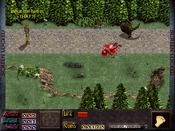
What's the best way to kill Dink if he steps on certain tiles? I've used the spike tiles in a certain part in a certain screen, but I only want them to kill him up to a certain point in the storyline...(until he gets the right object to counteract their effect) I thought I could get away with using invisible sprites with high touch damage combined with visions... but apparently the invisible sprites don't hurt him. I know it's been done in other d-mods, but how?
What's the best way to kill Dink if he steps on certain tiles? I've used the spike tiles in a certain part in a certain screen, but I only want them to kill him up to a certain point in the storyline...(until he gets the right object to counteract their effect) I thought I could get away with using invisible sprites with high touch damage combined with visions... but apparently the invisible sprites don't hurt him. I know it's been done in other d-mods, but how?


The invisable sprite thing seems like the way to go, but instead giving it that invisible property, put this line in the main procedure of the script.
sp_nodraw(¤t_sprite, 1);
sp_nodraw(¤t_sprite, 1);

I know it was done in some D-Mod (I don't remember which) with spike tiles that did 50 damage to Dink until you got armor or something like that. Find the D-Mod and look at the scripts. (Sorry I can't be more helpful here)

I think it was Quest for Cheese. LoL just started playing that one again.
Maybe...I know it was a semi-small D-Mod...not epic or anything really long.


It was the quest for cheese.


Try just using visible sprites and attach this script:
void main(void)
{
sp_nodraw(¤t_sprite,1);
if (&object < 1)
{
sp_touch_damage(¤t_sprite,1000);
}
}
Where I assumed that &object < 1 means he hasn't got the object yet.
void main(void)
{
sp_nodraw(¤t_sprite,1);
if (&object < 1)
{
sp_touch_damage(¤t_sprite,1000);
}
}
Where I assumed that &object < 1 means he hasn't got the object yet.
I looked on the map for Quest for Cheese, but all the story files are .d files. (I remembered that from before, when I was playing it.)... the sp_nodraw was going to be my last attempt last night, but I fell asleep, hopefully it'll work! Thanks!


For future reference: Quest for Cheese source.
For some reasons unknown to me, sprites set invisible in the editor don't execute scripts. In such cases, using sp_nodraw is the way to go.
For some reasons unknown to me, sprites set invisible in the editor don't execute scripts. In such cases, using sp_nodraw is the way to go.
I hope everything works out for you. 
Okie-dokie... this is all working fine... BUT... using compare_weapon as suggested... if the item in question is armed BEFORE entering the screen with spikes, everything works fine... but if you get on the screen, realise there's spikes in the middle, put the boots on... you still get killed. I've tried using loops in the main and touch procedures to keep checking if you're wearing them, but I don't think I'm doing something right cause it's not working! I also tried using;
int &boots = compare_weapon("item-boots");
if(&boots == 1)
{
sp_active(¤t_sprite, 0);
}
on the invisible rocks... but alas, didn't work either. Any suggestions? Am at my wit's end!
int &boots = compare_weapon("item-boots");
if(&boots == 1)
{
sp_active(¤t_sprite, 0);
}
on the invisible rocks... but alas, didn't work either. Any suggestions? Am at my wit's end!
void main( void )
{
//-1, so it uses the script instead of damaging the player no matter what sp_touch_damage(¤t_sprite, -1)
}
void touch( void )
{
//Prevent touch-loop lockup
sp_touch_damage(¤t_sprite, 0);
int &boots = compare_weapon("item-boots");
if (&boots == 0)
{
//Don't have the boots? Die, fetcher!
hurt(1,100000);
}
//Again some touch-loop lockup prevention.
wait(100);
sp_touch_damage(¤t_sprite, -1);
}
That should work...
About the touch-loop lockup, if you don't set sp_touch_damage to 0 in the touch script, the engine will keep detecting a touch, and run the touch procedure, effectively getting nowhere.
{
//-1, so it uses the script instead of damaging the player no matter what sp_touch_damage(¤t_sprite, -1)
}
void touch( void )
{
//Prevent touch-loop lockup
sp_touch_damage(¤t_sprite, 0);
int &boots = compare_weapon("item-boots");
if (&boots == 0)
{
//Don't have the boots? Die, fetcher!
hurt(1,100000);
}
//Again some touch-loop lockup prevention.
wait(100);
sp_touch_damage(¤t_sprite, -1);
}
That should work...
About the touch-loop lockup, if you don't set sp_touch_damage to 0 in the touch script, the engine will keep detecting a touch, and run the touch procedure, effectively getting nowhere.


Note: compare_weapon only supports an script with 9 characters (letters, dashes, numbers) in it. Your script has 10. This may not be a problem, but it could cause some very unpredictable behavior.
Try this:
void main(void)
{
int &boots = 0;
loop:
&boots = compare_weapon("item-bts");
if (&boots == 0)
{
sp_touch_damage(¤t_sprite, 8000); //Or whatever
}
if (&boots == 1)
{
sp_touch_damage(¤t_sprite, 0);
}
wait(100);
goto loop;
}
If you have something in your touch procedure (like Dink saying "Oof! My feet have been skewered by spikey spikes!"), you will have to add a "goto loop;" command after it, if you want the script to continue changing touch damage depending on whether his boots are armed.
Try this:
void main(void)
{
int &boots = 0;
loop:
&boots = compare_weapon("item-bts");
if (&boots == 0)
{
sp_touch_damage(¤t_sprite, 8000); //Or whatever
}
if (&boots == 1)
{
sp_touch_damage(¤t_sprite, 0);
}
wait(100);
goto loop;
}
If you have something in your touch procedure (like Dink saying "Oof! My feet have been skewered by spikey spikes!"), you will have to add a "goto loop;" command after it, if you want the script to continue changing touch damage depending on whether his boots are armed.
Seems like magicman beat me by five minutes, ah well. Although, he doesn't use sp_touch_damage for, well, touch damage