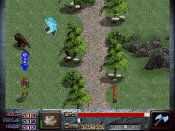
Graphics bug


I'm having a problem with the graphics in Legend's Tale. So far, there aren't many SPRITE_INFO lines yet, but it seems that adding just one extra line screws up a couple of things. For instance, when using create_sprite the spite doesn't appear on the screen, untill it has to do something, like moving, changing seq, etc...
The graphics are still in .bmp, not .ff.
Has anyone else encountered the same problem? And if so, maybe even found a solution?
The graphics are still in .bmp, not .ff.
Has anyone else encountered the same problem? And if so, maybe even found a solution?


: I'm having a problem with the graphics in Legend's Tale. So far, there aren't many SPRITE_INFO lines yet, but it seems that adding just one extra line screws up a couple of things. For instance, when using create_sprite the spite doesn't appear on the screen, untill it has to do something, like moving, changing seq, etc...
: The graphics are still in .bmp, not .ff.
: Has anyone else encountered the same problem? And if so, maybe even found a solution?
if it is almoust in the middle, try the
unfreeze(1)
create_sprite(blah blah);
freeze(1)
good luck!
: The graphics are still in .bmp, not .ff.
: Has anyone else encountered the same problem? And if so, maybe even found a solution?
if it is almoust in the middle, try the
unfreeze(1)
create_sprite(blah blah);
freeze(1)
good luck!


: I'm having a problem with the graphics in Legend's Tale. So far, there aren't many SPRITE_INFO lines yet, but it seems that adding just one extra line screws up a couple of things. For instance, when using create_sprite the spite doesn't appear on the screen, untill it has to do something, like moving, changing seq, etc...
: The graphics are still in .bmp, not .ff.
: Has anyone else encountered the same problem? And if so, maybe even found a solution?
That doesn't quite sound like a SET_SPRITE_INFO related bug. You might try using preload_seq if you allready.
: The graphics are still in .bmp, not .ff.
: Has anyone else encountered the same problem? And if so, maybe even found a solution?
That doesn't quite sound like a SET_SPRITE_INFO related bug. You might try using preload_seq if you allready.


: I'm having a problem with the graphics in Legend's Tale. So far, there aren't many SPRITE_INFO lines yet, but it seems that adding just one extra line screws up a couple of things. For instance, when using create_sprite the spite doesn't appear on the screen, untill it has to do something, like moving, changing seq, etc...
: The graphics are still in .bmp, not .ff.
: Has anyone else encountered the same problem? And if so, maybe even found a solution?
Hmm... have you tried adding some preload_seq() commands to the beginning of the script? That often seems to work when I have weird graphics problems like that.
I'm going out on a limb here, but this could be because the SPRITE_INFO information has not been calculated before you enter the screen, causing it to mess up. This, of course, assumes that the particular sprite you are using has SPRITE_INFO applied to it.
: The graphics are still in .bmp, not .ff.
: Has anyone else encountered the same problem? And if so, maybe even found a solution?
Hmm... have you tried adding some preload_seq() commands to the beginning of the script? That often seems to work when I have weird graphics problems like that.
I'm going out on a limb here, but this could be because the SPRITE_INFO information has not been calculated before you enter the screen, causing it to mess up. This, of course, assumes that the particular sprite you are using has SPRITE_INFO applied to it.
: : I'm having a problem with the graphics in Legend's Tale. So far, there aren't many SPRITE_INFO lines yet, but it seems that adding just one extra line screws up a couple of things. For instance, when using create_sprite the spite doesn't appear on the screen, untill it has to do something, like moving, changing seq, etc...
: : The graphics are still in .bmp, not .ff.
: : Has anyone else encountered the same problem? And if so, maybe even found a solution?
: Hmm... have you tried adding some preload_seq() commands to the beginning of the script? That often seems to work when I have weird graphics problems like that.
: I'm going out on a limb here, but this could be because the SPRITE_INFO information has not been calculated before you enter the screen, causing it to mess up. This, of course, assumes that the particular sprite you are using has SPRITE_INFO applied to it.
No, it's one of the townspeople from the original Dink. I'll try preloading, but I doubt it will do the trick.
: : The graphics are still in .bmp, not .ff.
: : Has anyone else encountered the same problem? And if so, maybe even found a solution?
: Hmm... have you tried adding some preload_seq() commands to the beginning of the script? That often seems to work when I have weird graphics problems like that.
: I'm going out on a limb here, but this could be because the SPRITE_INFO information has not been calculated before you enter the screen, causing it to mess up. This, of course, assumes that the particular sprite you are using has SPRITE_INFO applied to it.
No, it's one of the townspeople from the original Dink. I'll try preloading, but I doubt it will do the trick.
: : I'm having a problem with the graphics in Legend's Tale. So far, there aren't many SPRITE_INFO lines yet, but it seems that adding just one extra line screws up a couple of things. For instance, when using create_sprite the spite doesn't appear on the screen, untill it has to do something, like moving, changing seq, etc...
: : The graphics are still in .bmp, not .ff.
: : Has anyone else encountered the same problem? And if so, maybe even found a solution?
: That doesn't quite sound like a SET_SPRITE_INFO related bug. You might try using preload_seq if you allready.
It must be SET_SPRITE_INFO related, because of the following :
I added 3 SPRITE_INFO lines. That's when the create_sprite didn't work properly. However, when I delete these lines, it works just fine. Don't get me wrong, the sprite does EXIST since you can make him talk, but his seqeunce won't appear and the say-lines are not in the right place.
: : The graphics are still in .bmp, not .ff.
: : Has anyone else encountered the same problem? And if so, maybe even found a solution?
: That doesn't quite sound like a SET_SPRITE_INFO related bug. You might try using preload_seq if you allready.
It must be SET_SPRITE_INFO related, because of the following :
I added 3 SPRITE_INFO lines. That's when the create_sprite didn't work properly. However, when I delete these lines, it works just fine. Don't get me wrong, the sprite does EXIST since you can make him talk, but his seqeunce won't appear and the say-lines are not in the right place.

You probably have more than the allocated number of set_sprite_info(); commands...I forgot how many you can have.
--WC
--WC
: You probably have more than the allocated number of set_sprite_info(); commands...I forgot how many you can have.
: --WC
Impossible. I've looked at other .ini files and they have more Set_sprite_info lines.
However, preload seemed to have done the job, ut I can't imagine what that could have had to do with Set_sprite_info lines?!
: --WC
Impossible. I've looked at other .ini files and they have more Set_sprite_info lines.
However, preload seemed to have done the job, ut I can't imagine what that could have had to do with Set_sprite_info lines?!


: You probably have more than the allocated number of set_sprite_info(); commands...I forgot how many you can have.
: --WC
They are 600
: --WC
They are 600
: However, preload seemed to have done the job, ut I can't imagine what that could have had to do with Set_sprite_info lines?!
Probably nothing. What may have caused it instead, if you added more grpahics, is that some original graphics would be pushed out of the cache. I think there's an "issue" (meaning mild bug) where graphics are not automatically loaded if they are a static picture and created with create_sprite.
Probably nothing. What may have caused it instead, if you added more grpahics, is that some original graphics would be pushed out of the cache. I think there's an "issue" (meaning mild bug) where graphics are not automatically loaded if they are a static picture and created with create_sprite.


I think there are a few mild bugs with graphics. I'm doing a lot of init("load sequence_now..."); commands in Pilgrim's Quest and have run into a weird bug in which a brain 6 sprite that is created within a script has one wrong bmp. Now the sequence the bmps come from isn't the one that I've overridden with the init() command, but there is also another sprite created by the screen's base script that is... and the wrong bmp in the first sprite is from one of the ones in the second. I've tried preload... putting in extra init() lines and I still get the wrong bmp showing up...
This is how Dink.exe works. (assuming I remember correctly) Anything that is load_sequence_now(); is always held in the internal dink buffer so it can be used anytime, and called quicker. load_sequence(); just sets the sequence number to the graphics path, but doesn't load it into the 'cache' so you have to load it up when needed and it will load slower. preload will put the image seq into the cache and it will be removed once the script dies (most likly a scrren scroll, or when kill_this_task(); is called). set_frame_frame and set_frame_delay are special commands in the ini, the first one sets one frame of the seq to a static frame which doesn't exist (like a frame copy on the fly). The second is the delay in millisecond between the frames. (1000 milliseconds = 1 second) Next we have set_frame_special which just tells Dink the 'hey, this sequence is a hit sequence and will cause damage to other sprites'. Now the devil (which you have been looking for in the post) is SET_SPRITE_INFO this sets the hardbox and the depth cue. I have found several problems with this. First, make sure you aren't setting a hard box twice. EXAMPLE
SET_SPRITE_INFO 159 4 85 200 -77 -55 112 15
SET_SPRITE_INFO 159 4 85 155 -77 -35 112 15
you would want to delete the first one. This useally doesn't cause problems, but I have seen it do just that. Next, make sure you aren't calling more than 500 SET_SPRITE_INFO commands, if you are too lazy to count, run your D-mod in WDE. If you call more than 500, dink will ignore all the commands after the 500th one.
--WC
SET_SPRITE_INFO 159 4 85 200 -77 -55 112 15
SET_SPRITE_INFO 159 4 85 155 -77 -35 112 15
you would want to delete the first one. This useally doesn't cause problems, but I have seen it do just that. Next, make sure you aren't calling more than 500 SET_SPRITE_INFO commands, if you are too lazy to count, run your D-mod in WDE. If you call more than 500, dink will ignore all the commands after the 500th one.
--WC