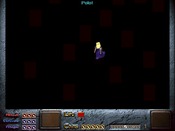
2 errors in one script, oh my.


So, I made this script..
void touch(void)
{
sp_touch_damage(¤t_sprite,0);
playsound(51,44000,0,1,0);
say_xy("Engage!",311,201);
wait(3000);
//Waits for the .wav to finish
fade_down();
&player_map = 007;
sp_x(1, 255);
sp_y(1, 205);
sp_dir(1,6);
load_screen();
draw_screen();
fade_up();
playmidi("23.mid");
kill_this_task();
}
I got the message "Script seems syntactically correct" from my editor, but found the following problems.
1.Screen doesn't fade up, but Dink can walk around, and get hurt and whatnot. If I remove "Draw_screen", it'll fade up, but there's still an obvious error in that case.
2.The last part of the WAV gets cut off, even though I believe I loaded it correctly in Start.c
load_sound("ENGAGE.WAV", 51);
Any ideas as to the problems?
void touch(void)
{
sp_touch_damage(¤t_sprite,0);
playsound(51,44000,0,1,0);
say_xy("Engage!",311,201);
wait(3000);
//Waits for the .wav to finish
fade_down();
&player_map = 007;
sp_x(1, 255);
sp_y(1, 205);
sp_dir(1,6);
load_screen();
draw_screen();
fade_up();
playmidi("23.mid");
kill_this_task();
}
I got the message "Script seems syntactically correct" from my editor, but found the following problems.
1.Screen doesn't fade up, but Dink can walk around, and get hurt and whatnot. If I remove "Draw_screen", it'll fade up, but there's still an obvious error in that case.
2.The last part of the WAV gets cut off, even though I believe I loaded it correctly in Start.c
load_sound("ENGAGE.WAV", 51);
Any ideas as to the problems?


&player_map = 007? What is this, a new James Bond dmod?  Use &player_map = 7, without the zeroes.
About the sound cutting out, it's probably a problem with the .wav, and a common problem at that. It's simple to fix, but I can't remember much beyond that. Just opening and saving the file again with some sound editing program might do the trick.
Use &player_map = 7, without the zeroes.About the sound cutting out, it's probably a problem with the .wav, and a common problem at that. It's simple to fix, but I can't remember much beyond that. Just opening and saving the file again with some sound editing program might do the trick.


As you change the screen the script dies. That's why you don't see the fade_up(); it happens after the draw_screen(); command.
To fix this you need to make sure the script isn't attached to anything (so it doesn't die upon a screenchange). Just insert the line script_attach(1000); somewhere before the draw_screen(); command.
Same story (sort of) with the sound. You have this command: playsound(51,44000,0,1,0); This means that the sound is attached to a sprite (sprite 1). The sprite is killed when you change screens, so the sound is killed as well (I believe).
Just replace the command by playsound(51,44000,0,0,0); and you should be fine.
To fix this you need to make sure the script isn't attached to anything (so it doesn't die upon a screenchange). Just insert the line script_attach(1000); somewhere before the draw_screen(); command.
Same story (sort of) with the sound. You have this command: playsound(51,44000,0,1,0); This means that the sound is attached to a sprite (sprite 1). The sprite is killed when you change screens, so the sound is killed as well (I believe).
Just replace the command by playsound(51,44000,0,0,0); and you should be fine.
&player_map = 007? What is this, a new James Bond dmod?
I lol'd.
Okay, the Script_attach fixed the fade_up problem, but neither worked on the playsound problem. There shouldn't be anything wrong with the .wav, because I can play it just fine in quicktime.. Could it be that there's a limit on the length of a sound file, and that that limit is under 3.75 seconds?
I lol'd.
Okay, the Script_attach fixed the fade_up problem, but neither worked on the playsound problem. There shouldn't be anything wrong with the .wav, because I can play it just fine in quicktime.. Could it be that there's a limit on the length of a sound file, and that that limit is under 3.75 seconds?
There shouldn't be anything wrong with the .wav, because I can play it just fine in quicktime..
That doesn't mean Dink doesn't have a problem with it, though.
This is from Silencer's sound faq:
Q: My sounds STOP abruptly while being played, or Dink crashes !
A: Dink Engine BUUUUG. Blame Seth at sethable@rtsoft.com. Flame him all want, and send him all kinds of destructive emails. I dont object Anyhow, the problem is that Dink looks for a DETAIL, DESCRIPTION, COPYRIGHT information inside the WAV file. Therefore, if you tape yourself, or convert an MP3, without using some sort of REAL sound editor ( Like SoundForge or GoldWave ), your WAV files will not have that information. And as the result, your files wont play the whole time, ( 5 secs instead of 20 ..and such ). To correct this problem just download ANY shareware or freeware sound editor (that allows you to save and add the detailed information) open your file in that application and save it...That is all. To check if your file is in correct format do the following:
1. Right-click your wav file, and select PROPERTIES on the bottom.
2. Look for DETAIL tab, if you have it, you dont have to change/add anything.
3. If you dont have it, re-save your file and any professional sound editor.
That doesn't mean Dink doesn't have a problem with it, though.
This is from Silencer's sound faq:
Q: My sounds STOP abruptly while being played, or Dink crashes !
A: Dink Engine BUUUUG. Blame Seth at sethable@rtsoft.com. Flame him all want, and send him all kinds of destructive emails. I dont object
Anyhow, the problem is that Dink looks for a DETAIL, DESCRIPTION, COPYRIGHT information inside the WAV file. Therefore, if you tape yourself, or convert an MP3, without using some sort of REAL sound editor ( Like SoundForge or GoldWave ), your WAV files will not have that information. And as the result, your files wont play the whole time, ( 5 secs instead of 20 ..and such ). To correct this problem just download ANY shareware or freeware sound editor (that allows you to save and add the detailed information) open your file in that application and save it...That is all. To check if your file is in correct format do the following:1. Right-click your wav file, and select PROPERTIES on the bottom.
2. Look for DETAIL tab, if you have it, you dont have to change/add anything.
3. If you dont have it, re-save your file and any professional sound editor.
Okay, I tried the resaving thing again and it worked this time, I didn't have any real sound editing program other than 'Sound recorder', so I downloaded and used "Audacity" and that worked. Thanks muchly to both of you.