Reply to Re: Dink Cut-scenes
If you don't have an account, just leave the password field blank.


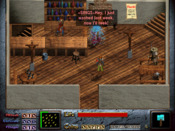
A simple cutscene can be made using very basic DinkC commands. So you could use the say(); and move(); commands to make a primitive cutscene already.
For example these lines of code will first freeze Dink, then make Dink say someting and walk down (to <newy> which hasn't been defined yet...), finaly we'll unfreeze him so he can continue doing what he wants:
freeze(1);
say_stop("Wow I'm saying something",1);
move_stop(1,2,<newy>,1);
unfreeze(1);
instead of 1 (which is Dink) you could also use other sprites. For example ¤t_sprite, which is the sprite to which the script is attached to, so you could do something like this:
freeze(1);
freeze(¤t_sprite);
say_stop("Hi there, sprite!",1);
say_stop("`7Welcome Dink",¤t_sprite);
unfreeze(1);
unfreeze(¤t_sprite);
So as you see, it works just like in-game. The difference is that in a cutscene you often don't have a suitable ¤t_sprite to work with. So let's create a new sprite!
freeze(1);
int &sprite;
&sprite = create_sprite(x,y,brain,pseq,pframe);
say_stop("Nice weather isn't it?",&sprite);
say_stop("Nah, it's better outside...",1);
unfreeze(1);
In the above example I defined a new variable (which is &sprite). To this variable I attached a sprite, so I can use the &sprite variable to make this sprite talk, walk or whatever I want it to do.
So that should be enough to make your first cutscenes...
Oh, and one final comment: If you like a sprite to move make sure it has a speed value higher than 0. It might sound stupid but many people (including me) tend to forget it sometimes. (You can set the speed with the sp_speed(); command)
For example these lines of code will first freeze Dink, then make Dink say someting and walk down (to <newy> which hasn't been defined yet...), finaly we'll unfreeze him so he can continue doing what he wants:
freeze(1);
say_stop("Wow I'm saying something",1);
move_stop(1,2,<newy>,1);
unfreeze(1);
instead of 1 (which is Dink) you could also use other sprites. For example ¤t_sprite, which is the sprite to which the script is attached to, so you could do something like this:
freeze(1);
freeze(¤t_sprite);
say_stop("Hi there, sprite!",1);
say_stop("`7Welcome Dink",¤t_sprite);
unfreeze(1);
unfreeze(¤t_sprite);
So as you see, it works just like in-game. The difference is that in a cutscene you often don't have a suitable ¤t_sprite to work with. So let's create a new sprite!
freeze(1);
int &sprite;
&sprite = create_sprite(x,y,brain,pseq,pframe);
say_stop("Nice weather isn't it?",&sprite);
say_stop("Nah, it's better outside...",1);
unfreeze(1);
In the above example I defined a new variable (which is &sprite). To this variable I attached a sprite, so I can use the &sprite variable to make this sprite talk, walk or whatever I want it to do.
So that should be enough to make your first cutscenes...
Oh, and one final comment: If you like a sprite to move make sure it has a speed value higher than 0. It might sound stupid but many people (including me) tend to forget it sometimes. (You can set the speed with the sp_speed(); command)