Reply to Re: Hardness Problems
If you don't have an account, just leave the password field blank.


Unless you know what you're doing (or you can afford to crap up your hard.dat), never just pick a tile and press enter, because that will edit/add base hardness to the tile and the changes will apply to tiles on all screens.
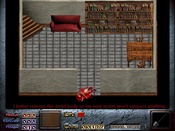
Just make sure you press H first, so you're in hardness editing mode, and toggle through different hard tiles with [ and ] (these keys may be different if you're not using a basic US keyboard, though), whatever you do here will only apply to the tiles you're editing right then. If you press enter and CHANGE the hardness of a tile, though, those changes will still apply on all screens.
Just make sure you press H first, so you're in hardness editing mode, and toggle through different hard tiles with [ and ] (these keys may be different if you're not using a basic US keyboard, though), whatever you do here will only apply to the tiles you're editing right then. If you press enter and CHANGE the hardness of a tile, though, those changes will still apply on all screens.