warps


how do i make warps on the origanal dink creator?


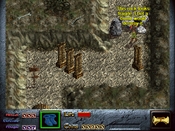
First pick up the sprite. Then press these numbers to modify it's properties.
When you input the information, press enter.
9: set to 0 hardness
0: Set to 1 for warping sprite.
Also if it's an invisible warp..
2: set type to 2 for invisible
Next, to get the coordinates to warp to, mouse to the map/x/y where you want the sprite to warp to then press alt+w. After you do that, select your warping sprite and press alt+w again. The coordinates will be copied onto it
If you wanted to put in the coordinates manually you could always use shift+1, shift+2, and shift+3.
When you input the information, press enter.
9: set to 0 hardness
0: Set to 1 for warping sprite.
Also if it's an invisible warp..
2: set type to 2 for invisible
Next, to get the coordinates to warp to, mouse to the map/x/y where you want the sprite to warp to then press alt+w. After you do that, select your warping sprite and press alt+w again. The coordinates will be copied onto it
If you wanted to put in the coordinates manually you could always use shift+1, shift+2, and shift+3.