Assigning hardness index to specifc tile images


Is there a way to assign an existing hardness index to a specific tile index within any of the WDE editors?
I'm currently experimenting with photohard.py from YeOldeToast, and I've come to realize that I could assign existing hardness tile indices to various new tiles, just not sure how best to do this.
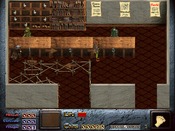
So looking at tiles inside WDED+ there are 128 indices per tile image based on an image size of 600x550 with the four at the bottom not available, and there are 800 hardness tiles, with some already assigned hardness and some not - the ones between the custom ones at the end and those at the beginning.
I've used photohard to add new hardness elements, but there has been some duplication within the hardness indices and some tiles not assigned the custom hardness even though the program created it.
I couldn't seem to find a way of assigning a hardness index number to a tile index number within WDED+ and maybe there is no direct way to do this. I could always create template screens within the map with the correct hardness and use these to copy and paste, but was hoping there was a way to edit the hard.dat file within WDE beyond the pixel draw method.
I'm currently experimenting with photohard.py from YeOldeToast, and I've come to realize that I could assign existing hardness tile indices to various new tiles, just not sure how best to do this.
So looking at tiles inside WDED+ there are 128 indices per tile image based on an image size of 600x550 with the four at the bottom not available, and there are 800 hardness tiles, with some already assigned hardness and some not - the ones between the custom ones at the end and those at the beginning.
I've used photohard to add new hardness elements, but there has been some duplication within the hardness indices and some tiles not assigned the custom hardness even though the program created it.
I couldn't seem to find a way of assigning a hardness index number to a tile index number within WDED+ and maybe there is no direct way to do this. I could always create template screens within the map with the correct hardness and use these to copy and paste, but was hoping there was a way to edit the hard.dat file within WDE beyond the pixel draw method.


I believe WDED exports JSONs of all the major data files, meaning it might be possible to edit the index by hand using a text editor, assuming there's no other way to do it.


I think in Drones windinkedit you can stamp hardness to a tile and then with the hardness stamped and still in hardness mode, hover over it and press 'D' and it will assign the hardness to that tile.