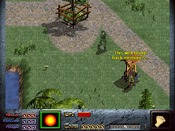
'Mousing' Dink


Here am I again...
I've already made Dink become the arrow and I can control it. The trouble is that I can 'highlight' the buttons but I can't click them... What's wrong?
I'm using the start-2 button script to test it, so I know that there's no bug with the button script.
Start-1 already has 'set_keep_mouse(1)' (or sort of)

'Mousing' Dink Script
void main ( void )
{

sp_base_walk(1, 0);
sp_base_idle(1, 0);
sp_seq(1, 0);
sp_brain(1, 13);
sp_pseq(1,10);
sp_pframe(1,8);
sp_que(1,20000);
sp_noclip(1, 1);
sp_nodraw(1, 0);

wait(1000);
fade_up();
unfreeze(1);

}

You're missing set_mode(1). This is needed for clicking. Also, don't forget to do set_mode(2) when you're done with being a mouse pointer.
Thx Rabib,
I did it but nothing changed...

Hmm.. is set_keep_mouse(1) in the start-1 script BEFORE set_mode(2)?
Are you loading a game? If you are, you should put set_keep_mouse(1) in the start-2 script as well.
Are you loading a game? If you are, you should put set_keep_mouse(1) in the start-2 script as well.


The sprite you're clicking must have a touch damage of -1.
Four main things to use the mouse (I think!):
1. Use set_keep_mouse(1) to enable using the mouse at all.
2. Set sprite 1's brain to 13 to be controlled with the mouse.
3. Any clickable sprite needs touch damage set to -1.
4. Any sprite using button/buttonoff needs brain 14.
I don't think changing the mode is actually needed at all... at least in my D-Mod I forgot to do it and the mouse works fine
Four main things to use the mouse (I think!):
1. Use set_keep_mouse(1) to enable using the mouse at all.
2. Set sprite 1's brain to 13 to be controlled with the mouse.
3. Any clickable sprite needs touch damage set to -1.
4. Any sprite using button/buttonoff needs brain 14.
I don't think changing the mode is actually needed at all... at least in my D-Mod I forgot to do it and the mouse works fine