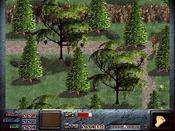
Dink Smallwood HD: Native Linux (and Mac) Port – Collaboration & Testing


Hi everyone!
I’m Mateus Bentes, a long-time fan of Dink Smallwood and a Linux user. I’ve been working on a native Linux port of Dink Smallwood HD (no Wine/Proton required!), leveraging the recent changes in the codebase—like the removal of FMOD in favor of SDL_mixer. My goal is to make the game run smoothly on Linux and Mac, and I believe it would be amazing if GOG could offer official versions for these platforms in the future.
What’s Done So Far:
Removed FMOD and replaced it with SDL_mixer (thanks to the recent updates from RTSoft!).
The game now compiles on Linux, but I’m still working on a few challenges:
Compressed data files: The game uses a custom format for these, and I’m analyzing how to handle them properly.
Testing on different distros: I need help testing on Ubuntu, Arch, Fedora, etc.
Mod support: Ensuring compatibility with existing mods.
How You Can Help:
Developers: If you’re familiar with the game’s codebase (especially file handling), your insights would be invaluable!
Testers: Try the build on your system and report bugs or performance issues.
Modders: Let me know if mods work as expected (or if there are issues).
Why This Matters:
This port will make Dink Smallwood HD fully open-source and native on Linux and Mac, aligning with the game’s spirit. It’s also a great opportunity to bring this classic to more players who prefer these platforms for privacy, performance, and freedom.
Next Steps:
Once the port is stable, I’d love to see it on GOG as an official Linux/Mac version. Until then, I’ll keep working on it with the community’s help!
Let’s make this happen together! Feel free to reply with questions, suggestions, or test results. Thanks in advance for your help!"
I’m Mateus Bentes, a long-time fan of Dink Smallwood and a Linux user. I’ve been working on a native Linux port of Dink Smallwood HD (no Wine/Proton required!), leveraging the recent changes in the codebase—like the removal of FMOD in favor of SDL_mixer. My goal is to make the game run smoothly on Linux and Mac, and I believe it would be amazing if GOG could offer official versions for these platforms in the future.
What’s Done So Far:
Removed FMOD and replaced it with SDL_mixer (thanks to the recent updates from RTSoft!).
The game now compiles on Linux, but I’m still working on a few challenges:
Compressed data files: The game uses a custom format for these, and I’m analyzing how to handle them properly.
Testing on different distros: I need help testing on Ubuntu, Arch, Fedora, etc.
Mod support: Ensuring compatibility with existing mods.
How You Can Help:
Developers: If you’re familiar with the game’s codebase (especially file handling), your insights would be invaluable!
Testers: Try the build on your system and report bugs or performance issues.
Modders: Let me know if mods work as expected (or if there are issues).
Why This Matters:
This port will make Dink Smallwood HD fully open-source and native on Linux and Mac, aligning with the game’s spirit. It’s also a great opportunity to bring this classic to more players who prefer these platforms for privacy, performance, and freedom.
Next Steps:
Once the port is stable, I’d love to see it on GOG as an official Linux/Mac version. Until then, I’ll keep working on it with the community’s help!
Let’s make this happen together! Feel free to reply with questions, suggestions, or test results. Thanks in advance for your help!"


This is great , you can also reach out to seth on twitter


Thanks for the patch - I applied your patches and did some other tweaks.
You can do:
curl -sL https://raw.githubusercontent.com/SethRobinson/RTDink/master/linux_setup.sh | bash
from a linux desktop terminal to download and build everything ready for play.
Besides from the security risk of running a script directly it also does something else weird:
It downloads the windows .exe installer and pulls all the assets out of it to use. A bit hacky but hey.
There is no reason it can't compile its own version of the proton packer utility and build its own rttex/etc assets (well, unless assets are missing from the repo which is possible), but this lazy way solves the problem for now.
You can (well, according to my quick test in ubuntu):
* Play in a 1024x768 window with dink with audio, mp3 and midi
* Use its internal dmod system to browse/install/play dmods from the dinknetwork
* Save state and all that
* Launch URL
You can't (this can be fixed mostly by work on the Proton SDK side, I just never bothered to add these features as I don't daily drive a linux desktop):
* Use a controller
* Resize the window
* Anything screen related in the options menu like toggle fullscreen, set a specific resolution
Untested:
* Cut and paste? I didn't try it but I assume it doesn't work, only useful
if you want to paste in a dmod filename directly into the dmod browser
* Command line parms to run dmods directly or in other directories or do other things? Not sure.
So yeah, the native linux version could use some loving care, but hey, at least Dink HD runs on it natively.
Oh, I cleaned up the repo a bit and added some missing stuff so now the full iOS, Android and HTML5 versions can compile out of the box.
Now anybody can release their own Dink on Android or iOS very easily if they wanted.
You can do:
curl -sL https://raw.githubusercontent.com/SethRobinson/RTDink/master/linux_setup.sh | bash
from a linux desktop terminal to download and build everything ready for play.
Besides from the security risk of running a script directly it also does something else weird:
It downloads the windows .exe installer and pulls all the assets out of it to use. A bit hacky but hey.
There is no reason it can't compile its own version of the proton packer utility and build its own rttex/etc assets (well, unless assets are missing from the repo which is possible), but this lazy way solves the problem for now.
You can (well, according to my quick test in ubuntu):
* Play in a 1024x768 window with dink with audio, mp3 and midi
* Use its internal dmod system to browse/install/play dmods from the dinknetwork
* Save state and all that
* Launch URL
You can't (this can be fixed mostly by work on the Proton SDK side, I just never bothered to add these features as I don't daily drive a linux desktop):
* Use a controller
* Resize the window
* Anything screen related in the options menu like toggle fullscreen, set a specific resolution
Untested:
* Cut and paste? I didn't try it but I assume it doesn't work, only useful
if you want to paste in a dmod filename directly into the dmod browser
* Command line parms to run dmods directly or in other directories or do other things? Not sure.
So yeah, the native linux version could use some loving care, but hey, at least Dink HD runs on it natively.
Oh, I cleaned up the repo a bit and added some missing stuff so now the full iOS, Android and HTML5 versions can compile out of the box.
Now anybody can release their own Dink on Android or iOS very easily if they wanted.
Hey Seth, thanks for merging the patches and setting up the linux_setup.sh script! That's a clever workaround for the assets. I tested the build on Ubuntu and everything you listed works great — playing the base game, browsing/installing DMODs, save states, audio with MP3 and MIDI. Regarding the things that don't work yet, I'd like to take a crack at some of them: Window resizing. The key pieces are:
An UpdateViewport() function that recalculates the OpenGL projection matrix to maintain the 4:3 aspect ratio with letterboxing/pillarboxing
Hooking into SDL_WINDOWEVENT_RESIZED to update the viewport and the engine's screen info (SetPrimaryScreenSize + SetupScreenInfo + SetupFakePrimaryScreenSize) so mouse coordinates stay correct after resize
Calling UpdateViewport() from OnScreenSizeChange() as well
Fullscreen toggle (F11) — I also had this working. The approach was:
OnFullscreenToggleRequestMultiplatform() using SDL_SetWindowFullscreen(window, SDL_WINDOW_FULLSCREEN_DESKTOP) for borderless fullscreen
Using SDL_GetKeyboardState() to poll F11 since the Proton BaseApp doesn't have a GetKeyState() method on non-Windows platforms
The hotkey handlers needed to be moved outside the #ifdef C_DINK_KEYBOARD_INPUT block in CheckForHotkeys() since that macro is only defined for _WIN32
Controller support — I haven't looked into this yet but I see the GamepadManager and SDL2 gamepad code is already in the Proton SDK. Might just need some wiring up on the Linux side. I can submit PRs for the resize and fullscreen fixes if you're interested. Should I base them on the current master now that you've cleaned things up? Also great news about iOS, Android and HTML5 compiling out of the box — that lowers the barrier a lot for the community.
An UpdateViewport() function that recalculates the OpenGL projection matrix to maintain the 4:3 aspect ratio with letterboxing/pillarboxing
Hooking into SDL_WINDOWEVENT_RESIZED to update the viewport and the engine's screen info (SetPrimaryScreenSize + SetupScreenInfo + SetupFakePrimaryScreenSize) so mouse coordinates stay correct after resize
Calling UpdateViewport() from OnScreenSizeChange() as well
Fullscreen toggle (F11) — I also had this working. The approach was:
OnFullscreenToggleRequestMultiplatform() using SDL_SetWindowFullscreen(window, SDL_WINDOW_FULLSCREEN_DESKTOP) for borderless fullscreen
Using SDL_GetKeyboardState() to poll F11 since the Proton BaseApp doesn't have a GetKeyState() method on non-Windows platforms
The hotkey handlers needed to be moved outside the #ifdef C_DINK_KEYBOARD_INPUT block in CheckForHotkeys() since that macro is only defined for _WIN32
Controller support — I haven't looked into this yet but I see the GamepadManager and SDL2 gamepad code is already in the Proton SDK. Might just need some wiring up on the Linux side. I can submit PRs for the resize and fullscreen fixes if you're interested. Should I base them on the current master now that you've cleaned things up? Also great news about iOS, Android and HTML5 compiling out of the box — that lowers the barrier a lot for the community.


For anyone who wants to try out the above build script, keep in mind it will only work on Debian distros. It's not enough to edit the build script to remove the lines that reference apt, as it redownloads itself and starts anew. I managed to get around it by installing Distrobox and making a distrobox-assemble ini with the following contents:
Save it as distrobox.ini then run distrobox assemble create, and then distrobox enter rtdinkbuild. After it eventually builds, you'll have to cd to the "bin" dir (not build) and run ./RTDinkApp as it won't run from any other path. Do be aware that it's extremely rough (no resampling among other things).
[rtdinkbuild]
image=ubuntu:latest
additional_packages="build-essential cmake libgl1-mesa-dev libx11-dev libpng-dev zlib1g-dev libbz2-dev libcurl4-openssl-dev libsdl2-dev libsdl2-mixer-dev wget"
init_hooks="wget https://raw.githubusercontent.com/SethRobinson/RTDink/master/linux_setup.sh"
init_hooks="chmod +x linux_setup.sh"
init_hooks="bash linux_setup.sh --dir=/absolute/path/of/your/choosing/so/it's/not/in/home"
Save it as distrobox.ini then run distrobox assemble create, and then distrobox enter rtdinkbuild. After it eventually builds, you'll have to cd to the "bin" dir (not build) and run ./RTDinkApp as it won't run from any other path. Do be aware that it's extremely rough (no resampling among other things).
* Ok, I've merged the PR ( https://github.com/SethRobinson/RTDink/pull/16 ) with some fixes so the other platforms aren't changed.
I also attempted to get AI to fix the install script to support more than Debian (hoping this works for you directly, yeoldetoast), no idea if it works, but Ubuntu still does so I guess if it doesn't nothing lost.
I just noticed some things like clicking screen resolutions in the dink Options (linux) don't actually do anything, I'm going to attempt to get that going. And make Alt-Enter also toggle fullscreen, I know F11 works but.. both can do it, right?
PS: Ok, updated both proton and rtdink repos, screen handling works better now.
Oh, btw before I said gamepads don't work, but as mateusbentes mentioned, I'd forgotten SDL2 handles gamepads so who knows, it might already work on linux?
I also attempted to get AI to fix the install script to support more than Debian (hoping this works for you directly, yeoldetoast), no idea if it works, but Ubuntu still does so I guess if it doesn't nothing lost.
I just noticed some things like clicking screen resolutions in the dink Options (linux) don't actually do anything, I'm going to attempt to get that going. And make Alt-Enter also toggle fullscreen, I know F11 works but.. both can do it, right?
PS: Ok, updated both proton and rtdink repos, screen handling works better now.
Oh, btw before I said gamepads don't work, but as mateusbentes mentioned, I'd forgotten SDL2 handles gamepads so who knows, it might already work on linux?
Thanks a lot for merging the PR, Seth! I really appreciate the fixes and improvements, especially the broader Linux distro support and the fullscreen toggle updates. I’ll test the install script on Ubuntu and other distros (like Arch and Fedora) and let you know how it goes. If there are any issues, I can help tweak it further.
About the screen resolution options in the Linux menu, it’s great that you’re working on it! Let me know if you’d like me to test that part—I’d be happy to help.
For now, I’m focusing on polishing the Linux desktop support even further (like fixing any lingering input or resolution quirks). If you’ve got any specific areas you’d like me to prioritize or test, just say the word!
Thanks again for all your work on this—it’s amazing to see Dink HD getting even better cross-platform support!
About the screen resolution options in the Linux menu, it’s great that you’re working on it! Let me know if you’d like me to test that part—I’d be happy to help.
For now, I’m focusing on polishing the Linux desktop support even further (like fixing any lingering input or resolution quirks). If you’ve got any specific areas you’d like me to prioritize or test, just say the word!
Thanks again for all your work on this—it’s amazing to see Dink HD getting even better cross-platform support!
Thanks mateusbentes, I merged the new PR!
Also, I think you'll probably get more issue resistant PRs if you add something like to your tool prompting for future changes:
********* (add this to your prompt) ********
CRITICAL CONSTRAINT: This is a multi-platform codebase that builds for Windows, iOS, Android, HTML5/Emscripten, macOS, and Linux. Your changes MUST NOT break compilation or behavior on any existing platform. Follow these rules:
1. Never remove or modify code inside existing #ifdef guards (WINAPI, PLATFORM_IOS, PLATFORM_ANDROID, PLATFORM_HTML5, etc.) unless you fully understand what every platform path does.
2. When adding platform-specific code, use #if defined(PLATFORM_LINUX) || defined(PLATFORM_OSX) or similar narrow guards. Never use #else after a platform #ifdef as a catch-all -- it will hit every other platform including iOS, Android, and HTML5. Use #elif with explicit platform checks instead.
3. Before calling any function, verify it actually exists in the codebase or framework. Do not assume APIs exist -- search for their declarations first.
4. New functions and globals must be wrapped in platform guards so they only compile on platforms where they are needed.
5. Do not change the behavior of existing platforms as a side effect of adding new platform support. The goal is to ADD Linux/macOS support, not to refactor or "improve" working Windows/iOS/Android/HTML5 code.
6. All comments must be in English.
7. After making changes, mentally trace through compilation for each platform (Windows, iOS, Android, HTML5, Linux, macOS) and verify no platform hits an undefined function, missing symbol, or changed behavior.
Also, I think you'll probably get more issue resistant PRs if you add something like to your tool prompting for future changes:
********* (add this to your prompt) ********
CRITICAL CONSTRAINT: This is a multi-platform codebase that builds for Windows, iOS, Android, HTML5/Emscripten, macOS, and Linux. Your changes MUST NOT break compilation or behavior on any existing platform. Follow these rules:
1. Never remove or modify code inside existing #ifdef guards (WINAPI, PLATFORM_IOS, PLATFORM_ANDROID, PLATFORM_HTML5, etc.) unless you fully understand what every platform path does.
2. When adding platform-specific code, use #if defined(PLATFORM_LINUX) || defined(PLATFORM_OSX) or similar narrow guards. Never use #else after a platform #ifdef as a catch-all -- it will hit every other platform including iOS, Android, and HTML5. Use #elif with explicit platform checks instead.
3. Before calling any function, verify it actually exists in the codebase or framework. Do not assume APIs exist -- search for their declarations first.
4. New functions and globals must be wrapped in platform guards so they only compile on platforms where they are needed.
5. Do not change the behavior of existing platforms as a side effect of adding new platform support. The goal is to ADD Linux/macOS support, not to refactor or "improve" working Windows/iOS/Android/HTML5 code.
6. All comments must be in English.
7. After making changes, mentally trace through compilation for each platform (Windows, iOS, Android, HTML5, Linux, macOS) and verify no platform hits an undefined function, missing symbol, or changed behavior.
Thanks for merging the PR, Seth! I’ll keep the multi-platform constraints in mind for future changes—really appreciate the guidelines.
About gamepad support, it’s still a work in progress (WIP) on my end. I’m testing SDL2’s gamepad handling on Linux, but I’ve hit a few snags (e.g., button mapping inconsistencies across different controllers). I’ll keep digging and update you once I’ve got something stable. If you’ve got any tips or existing gamepad code I should reference, let me know!
About gamepad support, it’s still a work in progress (WIP) on my end. I’m testing SDL2’s gamepad handling on Linux, but I’ve hit a few snags (e.g., button mapping inconsistencies across different controllers). I’ll keep digging and update you once I’ve got something stable. If you’ve got any tips or existing gamepad code I should reference, let me know!
Its pretty nice to see the community still working with seth on this in 2026 none the less. will this linux port help people using the portable machines like the steam deck ?
I have no experience in linux to help sadly but have a android phone and can help if the dink port there needs testing
I have no experience in linux to help sadly but have a android phone and can help if the dink port there needs testing


Why not just make it work in Flatpak then? Flathub is considered to be the official repository and works across the distros since it relies on sandboxing.
Then if some distro maintainer wants to add it to their distro's repository, the access to the source code would be available.
Then if some distro maintainer wants to add it to their distro's repository, the access to the source code would be available.
liquid141. Yes, the new PR that Seth merged allow gamepad on Linux, I've tested on Xbox 360 controller, I don't have a Steamdeck, but perhaps it works.
GOKUSSJ6. I can test now the flatpack packaging, if it works and Seth allow, Seth can pack the exactly files to make an official flatpack.
Hrm. I don't think this is a good way to do the flatpak, because it would instantly break when the hash/filesize of the Windows Dink installer changed. It's a security feature built into flatpak that kicks in both for building the flatpak, or if downloads it and installs it on the user side in flatpak itself.
It could be modified so the game itself downloads and installs it on first run, but...
There is a better way that involves me putting the assets in the repo (they are small enough that I shouldn't use git lfs, that has other issues)
The good part is this will make every platform easier to build for.
I will handle the submission/ownership to flathub for security reasons. the ongoing maintenance burden shouldn't be too bad...
I will also remove other maintainers from RTDink and proton, it's kind of a security risk when we're talking about being able to trigger updates.
Anyway, I will play with it. Let me try some stuff when I get a minute...
It could be modified so the game itself downloads and installs it on first run, but...
There is a better way that involves me putting the assets in the repo (they are small enough that I shouldn't use git lfs, that has other issues)
The good part is this will make every platform easier to build for.
I will handle the submission/ownership to flathub for security reasons. the ongoing maintenance burden shouldn't be too bad...
I will also remove other maintainers from RTDink and proton, it's kind of a security risk when we're talking about being able to trigger updates.
Anyway, I will play with it. Let me try some stuff when I get a minute...
Sounds good, Seth! I’ll wait for your updates and help test when you’re ready. The important thing is that Dink HD will finally have an official Flatpak. Let me know if you need any help with the testing!
Ok, I've added prebuilt flatpaks for both x86 and ARM, instructions at https://github.com/SethRobinson/RTDink
sudo apt install flatpak # if you don't have it. Replace apt with dnf (Fedora) or your distro's package manager.
wget https://www.rtsoft.com/dink/DinkSmallwoodHD-x86_64.flatpak
flatpak install --user DinkSmallwoodHD-x86_64.flatpak
flatpak run com.rtsoft.DinkSmallwoodHD
For ARM, use the file DinkSmallwoodHD-aarch64.flatpak instead.
The x86 flatpak worked for me on Ubuntu, I have not tested with ARM. I might be able to test that later though.
I did look at submitting to flathub, but they are pretty strict about submissions, even need a movie of the flatpak working etc, so for now let's just consider it in the testing phase and not worry about a real submission there for now.
sudo apt install flatpak # if you don't have it. Replace apt with dnf (Fedora) or your distro's package manager.
wget https://www.rtsoft.com/dink/DinkSmallwoodHD-x86_64.flatpak
flatpak install --user DinkSmallwoodHD-x86_64.flatpak
flatpak run com.rtsoft.DinkSmallwoodHD
For ARM, use the file DinkSmallwoodHD-aarch64.flatpak instead.
The x86 flatpak worked for me on Ubuntu, I have not tested with ARM. I might be able to test that later though.
I did look at submitting to flathub, but they are pretty strict about submissions, even need a movie of the flatpak working etc, so for now let's just consider it in the testing phase and not worry about a real submission there for now.
So far there is no MIDI music being played, least when i've ran Nuked SC-55. Same thing happens with Fluidsynth on.
Seth, lets test first the Flatpack and see if its ok, the flathub is pretty strict about submissions, consider update the game in GoG adding Linux version.
Can confirm no MIDI output with above flatpak, AMD64 CachyOS system.
New flatpak version is up (well, still says v2.08 but.. er) that should fix the midi.
Hey Seth and Dink community!
Now that Dink Smallwood HD is fully working on Linux (thanks to the Flatpak!), I was wondering:
1. Could we get an official Linux version on GOG? (Since GOG already supports Linux, this would be huge for visibility!)
2. OR… what about creating FlatSoft?
FlatSoft would be a Flatpak-based store for RTSoft games (and maybe other application developers), with:
Paid/proprietary apps (unlike Flathub, which only allows FOSS).
No AI restrictions (as long as the game or app works, who cares how it’s made?).
Full control over updates, pricing, and distribution (no Flathub bureaucracy).
Flathub is too restrictive (they’re blocking everything with AI, even human-reviewed code).
A dedicated Flatpak store for Dink (and future RTSoft games) would give us freedom + monetization.
The Linux community is hungry for native games, and Dink HD could lead the way!
I’d be happy to help set it up (hosting, docs, testing). What do you think?
P.S.: If FlatSoft becomes a thing, we could even add other classic games.
Now that Dink Smallwood HD is fully working on Linux (thanks to the Flatpak!), I was wondering:
1. Could we get an official Linux version on GOG? (Since GOG already supports Linux, this would be huge for visibility!)
2. OR… what about creating FlatSoft?
FlatSoft would be a Flatpak-based store for RTSoft games (and maybe other application developers), with:
Paid/proprietary apps (unlike Flathub, which only allows FOSS).
No AI restrictions (as long as the game or app works, who cares how it’s made?).
Full control over updates, pricing, and distribution (no Flathub bureaucracy).
Flathub is too restrictive (they’re blocking everything with AI, even human-reviewed code).
A dedicated Flatpak store for Dink (and future RTSoft games) would give us freedom + monetization.
The Linux community is hungry for native games, and Dink HD could lead the way!
I’d be happy to help set it up (hosting, docs, testing). What do you think?
P.S.: If FlatSoft becomes a thing, we could even add other classic games.
There is a VERY good reason why Flathub is restrictive.
When Ubuntu released their own take on flatpak called Snap it was riddles with cryptocurrencies software that would use your PC to mine crypto for someone else. Another reason is that the software would get uploaded under a pretext that its from the original developer but turns out that it is someone else and would contain malicious code. Those things are what led to Flathub to make these restrictions.
Now with the rise of AI people kept sending the code that AI generated without checking if it actually works and the user would often not understand a thing it generated. Just now Godot Engine is facing this kind of issue. Granted, Linux kernel devs and Mesa allows AI generated code but only if the user confirms that it actually works and the contributor understands what it generated.
I'd just push for Flathub release because its the default repository for distros that include flatpak support.
When Ubuntu released their own take on flatpak called Snap it was riddles with cryptocurrencies software that would use your PC to mine crypto for someone else. Another reason is that the software would get uploaded under a pretext that its from the original developer but turns out that it is someone else and would contain malicious code. Those things are what led to Flathub to make these restrictions.
Now with the rise of AI people kept sending the code that AI generated without checking if it actually works and the user would often not understand a thing it generated. Just now Godot Engine is facing this kind of issue. Granted, Linux kernel devs and Mesa allows AI generated code but only if the user confirms that it actually works and the contributor understands what it generated.
I'd just push for Flathub release because its the default repository for distros that include flatpak support.
Yeah, I can definitely understand the restrictions on flathub, GOKUSSJ6 is right.
For example, with the recent Dink AI dink patches I'd say they were like 70% good but the last 30% I've had to test, fix, test, fix, test to get them into shape. That last 30% is the most important percent.
I don't mind the work over the last week ( https://github.com/SethRobinson/RTDink/commits/master ) but on the other hand, if I was busy I just couldn't have done it.
The Dink repo would be broken if I had accepted these patches without checking and fixing. The MIDI patch submitted yesterday did not actually fix the problem as it wasn't tested, if I had just accepted it as is, it would have not worked.
So it's weird, the low quality AI patches are the reason DinkHD has better linux support now, but only because I fixed them, so overall it's good?
About GOG linux updates and a new store - nah, I think getting on flathub should be the goal, no rush. I only want to apply small, safe, non-breaking patches for a bit while we let things percolate and see if the stuff we did is ok.
For example, with the recent Dink AI dink patches I'd say they were like 70% good but the last 30% I've had to test, fix, test, fix, test to get them into shape. That last 30% is the most important percent.
I don't mind the work over the last week ( https://github.com/SethRobinson/RTDink/commits/master ) but on the other hand, if I was busy I just couldn't have done it.
The Dink repo would be broken if I had accepted these patches without checking and fixing. The MIDI patch submitted yesterday did not actually fix the problem as it wasn't tested, if I had just accepted it as is, it would have not worked.
So it's weird, the low quality AI patches are the reason DinkHD has better linux support now, but only because I fixed them, so overall it's good?
About GOG linux updates and a new store - nah, I think getting on flathub should be the goal, no rush. I only want to apply small, safe, non-breaking patches for a bit while we let things percolate and see if the stuff we did is ok.
Seth, I understand now! Quality is the key, and Flathub’s restrictions make sense if they prevent broken patches. The last thing we want is a messy Linux port.
Seth, I am worried about that to submit to FlatHub Commit baf05c4 SethRobinson and cursoragent committed yesterday * Oops, this too Co-authored-by: Cursor <cursoragent@cursor.com> Everything that have AI Flathub considers AI Slop. Officially Flathub says AI Slop Mark obviously AI generated PR. Of course the official PR can follow this example:
Please confirm your submission meets all the criteria
Please describe the application briefly.
< Dink Smallwood Hd is the classic RPG old school game of Dink Smallwood in hight definition. >
Please attach a video showcasing the application on Linux using the Flatpak. <
Youtube link: https://youtube.com/watch?v={Dink Samallwood HD Flatpack video example} >
The Flatpak ID follows all the rules listed in the Application ID requirements. (io.github.RTSoft.Dink_SmallWood_HD)
I have read and followed all the Submission requirements and the Submission guide and I agree to them.
I am an author of the project.
Please confirm your submission meets all the criteria
Please describe the application briefly.
< Dink Smallwood Hd is the classic RPG old school game of Dink Smallwood in hight definition. >
Please attach a video showcasing the application on Linux using the Flatpak. <
Youtube link: https://youtube.com/watch?v={Dink Samallwood HD Flatpack video example} >
The Flatpak ID follows all the rules listed in the Application ID requirements. (io.github.RTSoft.Dink_SmallWood_HD)
I have read and followed all the Submission requirements and the Submission guide and I agree to them.
I am an author of the project.
Huh? I have not done a flathub submission.
When I do, it will be human submitted and properly formatted, following their rules.
When I do, it will be human submitted and properly formatted, following their rules.


dink is truly dead once ai code becomes an official part of it.
It seems to have died quite happily long before that without it. Also where is the macOS port, as mentioned in the top post? Will the build script be expanded to support it?
yeoldetoast, great question, thanks for asking!
The original plan was indeed to release Dink Smallwood HD on GOG with Linux + macOS support (alongside Windows).
However, since the community showed strong interest in a Flathub release, we’re temporarily focusing on: Getting the Linux Flatpak approved for Flathub (which has its own rules and process).
This is a slight detour, but it doesn’t replace the GOG release. Once the Linux version is stable (whether on Flathub or not), we’ll move forward with:
The full GOG release (Linux + macOS + Windows).
So yes, macOS is still happening—it’s just not the priority right now because this thread started as a GOG + Linux discussion, and then the Flathub idea gained traction.
The original plan was indeed to release Dink Smallwood HD on GOG with Linux + macOS support (alongside Windows).
However, since the community showed strong interest in a Flathub release, we’re temporarily focusing on: Getting the Linux Flatpak approved for Flathub (which has its own rules and process).
This is a slight detour, but it doesn’t replace the GOG release. Once the Linux version is stable (whether on Flathub or not), we’ll move forward with:
The full GOG release (Linux + macOS + Windows).
So yes, macOS is still happening—it’s just not the priority right now because this thread started as a GOG + Linux discussion, and then the Flathub idea gained traction.
"the community showed strong interest" that might be the world's biggest overstatement 
I've commented on the latest PR: https://github.com/SethRobinson/RTDink/pull/23
I'm hoping you can find someone to actually do and test a build on a real Mac. I suspect there are many hours of work to actually get it working satisfactorily and unfortunately I can't do that right now.
I have zero plans on any GOG updates right now.
I've commented on the latest PR: https://github.com/SethRobinson/RTDink/pull/23
I'm hoping you can find someone to actually do and test a build on a real Mac. I suspect there are many hours of work to actually get it working satisfactorily and unfortunately I can't do that right now.
I have zero plans on any GOG updates right now.
Seth, what if we focus on GOG + Windows/Linux first? Manual Flatpak for those who want it, and Mac can be community-supported. Less stress, same result.
I’m honestly tired of the Flathub drama. I just want to play Dink on Linux without headaches. Let’s ship it!
I’m honestly tired of the Flathub drama. I just want to play Dink on Linux without headaches. Let’s ship it!
I don't see any drama at all.
We enabled linux support to RTDink. It (hopefully) should be easy for people to install and play it from linux. (two ways, even)
https://github.com/SethRobinson/RTDink
So we did good work. It *is* shipped. Play it. If there are problems reported, I'll try to correct them.
We enabled linux support to RTDink. It (hopefully) should be easy for people to install and play it from linux. (two ways, even)
https://github.com/SethRobinson/RTDink
So we did good work. It *is* shipped. Play it. If there are problems reported, I'll try to correct them.
*tries to pull in and tire out seth with asking for a steam release also haha
Dude, Seth already said it’s shipped for Linux. GOG is the way. Steam costs $100 and we’re not Valve. Let’s keep it simple and free (as in freedom).
Seth, ignore the Steam noise. We’ve got Linux builds working and we can get GOG for distribution. No need for Valve’s tax.
Seth, ignore the Steam noise. We’ve got Linux builds working and we can get GOG for distribution. No need for Valve’s tax.
I think seth is not worried about the 100 bucks and am sure the community here can come up with the amount in no time but yeah seth is not interested in a steam version , i think it would be a cool release specially for steamdeck users to grab directly from steam
Its also a one time fee. The reason why Valve made it that way is to gatekeep low effort games or spamming them as shown what happened after when Steam Greenlight became a thing.
When it comes to Linux, Valve pretty much made the biggest effort in contributing to it than GOG who was slacking off and jumped into it because Valve started, as usual with their opportunist nature.
When it comes to Linux, Valve pretty much made the biggest effort in contributing to it than GOG who was slacking off and jumped into it because Valve started, as usual with their opportunist nature.
gog is trash. and if you're not gonna update it, why is it even there? just pull it from the platform.
Thanks for the PRs. I tested https://github.com/SethRobinson/RTDink/pull/23 on MacinCloud using real Mac Xcode, and it works without breaking multiplatform support. The joystick support on Mac is already functional.
To further improve joystick compatibility, I also submitted https://github.com/SethRobinson/proton/pull/41 to make it truly multiplatform. Manual changes to Xcode files are complex, so AI assistance can help here.
Once the Linux and Mac ports are ready, I can help update the game on GOG. If you or the community decide to publish on Steam, I can assist, but I won’t be paying the $100 fee myself.
Let me know if you need any further testing or adjustments!
To further improve joystick compatibility, I also submitted https://github.com/SethRobinson/proton/pull/41 to make it truly multiplatform. Manual changes to Xcode files are complex, so AI assistance can help here.
Once the Linux and Mac ports are ready, I can help update the game on GOG. If you or the community decide to publish on Steam, I can assist, but I won’t be paying the $100 fee myself.
Let me know if you need any further testing or adjustments!
Btw sorry to jump in but after a long long long time i managed to get a v1 switch , is there a dink smallwood HD port for it ? @seth planning anything official for switch i am liking the hybrid nature of this.
https://youtu.be/0vTbLJQQNNw
https://youtu.be/0vTbLJQQNNw
LOL, if Nintendo released the SDK to the community, we might even try! But for now, I'm focusing on Linux/Mac — if you want to help, the PRs for Seth are open!
For liquid141 or anyone else, the above ARM64 single-file Flatpak should be able to run on L4T Switchroot Linux (including 18.04) depending on how desperately you want it to run.