Reply to Graphic trouble.
If you don't have an account, just leave the password field blank.


I created a new picture, loaded dink.pal onto it, saved it as a bmp with the name tv-01.bmp into the folder graphics\television, and wrote it into the dink.ini like this:
load_sequence_now graphics\television\tv- 285
Should work right? and it sort of did.
If I run dinkedit, the picture appears properly in PSEQ 285 and behaves normaly. If I run windinkedit, the picture doesn't appear and PSEQ 285 looks blank.
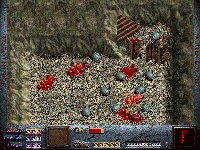
To test what was happening, I used dinkedit to insert the picture onto my map and here is what happened:
Nothing had changed in windinkedit, and when I played the game the picture didn't appear in any way.
I don't know whats going on, help me!
load_sequence_now graphics\television\tv- 285
Should work right? and it sort of did.
If I run dinkedit, the picture appears properly in PSEQ 285 and behaves normaly. If I run windinkedit, the picture doesn't appear and PSEQ 285 looks blank.
To test what was happening, I used dinkedit to insert the picture onto my map and here is what happened:
Nothing had changed in windinkedit, and when I played the game the picture didn't appear in any way.
I don't know whats going on, help me!