Graphics


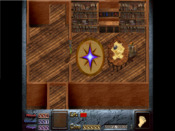
Added some new graphics to the Graphics folder and added the dink.ini lines, but they're just appearing as empty space in the editor. If I script them to an enemy they work fine, but I want to give the script to the correct sprite so how do I get it to show up in the editor? It's the ghost man from Joshuas GRRRRaphics pack.


I have exactly the same problem sometimes, but can't remember how to fix it 
For now, try checking the bit depth of the new graphics. 32 bit won't work - Dink only supports 24 bit or lower.
For now, try checking the bit depth of the new graphics. 32 bit won't work - Dink only supports 24 bit or lower.
Thank'ee. They were all monochrome bmps and I changed them to 24-bit. Now they show up in the editor. 
Great 
But if they're monochrome you can make them even lower - 8 bit or something. Not much difference but makes for smaller file sizes.
But if they're monochrome you can make them even lower - 8 bit or something. Not much difference but makes for smaller file sizes.