Add sprite in script


Ok, this is what i want to do.
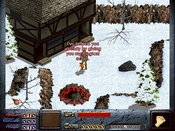
When I use the healing spell I want to create a sprite at dinks location that run through the frames and then die, like this:
The problem is that only the first frame appear in-game.
Here's a screenshot of the graphics folder:
http://img15.imageshack.us/img15/5001/folderaw.jpg
And a screenshot of the Dinkini text:
http://img85.imageshack.us/img85/4302/dinkini.jpg
If i add the sprite in windinkedit set the brain to reapeat and baseidle to 890 it play through all frames.
Anyone know how to solve this problem?
When I use the healing spell I want to create a sprite at dinks location that run through the frames and then die, like this:
int &dinkx = sp_x(1,-1);
int &dinky = sp_y(1,-1);
create_sprite(&dinkx,&dinky,7,890,1);
sp_frame(&return,1);
The problem is that only the first frame appear in-game.
Here's a screenshot of the graphics folder:
http://img15.imageshack.us/img15/5001/folderaw.jpg
And a screenshot of the Dinkini text:
http://img85.imageshack.us/img85/4302/dinkini.jpg
If i add the sprite in windinkedit set the brain to reapeat and baseidle to 890 it play through all frames.
Anyone know how to solve this problem?


It could be that you need to use sp_seq() instead of sp_frame() to start it, I don't really remember for sure.
Anyhow, declaring variables in a procedure like use() may be a bad idea, if it creates a new instance of the variable every time you use the spell (there's a limit on how many variables can be active on a screen at a time)- I don't remember if that's really the case, but if so, you should declare the variables in the arm() procedure.
The graphic naming (unless they are in some toher format than .BMP) and .ini lines look good, though. Demonstration script for clarity:
void use(void)
{
say("Cure!!", 1);
&dinkx = sp_x(1,-1);
&dinky = sp_y(1,-1);
&cross = create_sprite(&dinkx,&dinky,7,890,1);
sp_seq(&cross,890);
// the sp_frame() might be excess in this case
sp_frame(&cross,1);
// I added this here because you can punch the cross animation otherwise
sp_nohit(&cross,1);
&life += 5;
&life += &magic;
If (&life > &lifemax)
{
&life = &lifemax;
}
playsound(24,22050,0,0,0);
&magic_level = 0;
draw_status();
}
// add to void arm()
int &dinkx;
int &dinky;
int ✗
Anyhow, declaring variables in a procedure like use() may be a bad idea, if it creates a new instance of the variable every time you use the spell (there's a limit on how many variables can be active on a screen at a time)- I don't remember if that's really the case, but if so, you should declare the variables in the arm() procedure.
The graphic naming (unless they are in some toher format than .BMP) and .ini lines look good, though. Demonstration script for clarity:
void use(void)
{
say("Cure!!", 1);
&dinkx = sp_x(1,-1);
&dinky = sp_y(1,-1);
&cross = create_sprite(&dinkx,&dinky,7,890,1);
sp_seq(&cross,890);
// the sp_frame() might be excess in this case
sp_frame(&cross,1);
// I added this here because you can punch the cross animation otherwise
sp_nohit(&cross,1);
&life += 5;
&life += &magic;
If (&life > &lifemax)
{
&life = &lifemax;
}
playsound(24,22050,0,0,0);
&magic_level = 0;
draw_status();
}
// add to void arm()
int &dinkx;
int &dinky;
int ✗